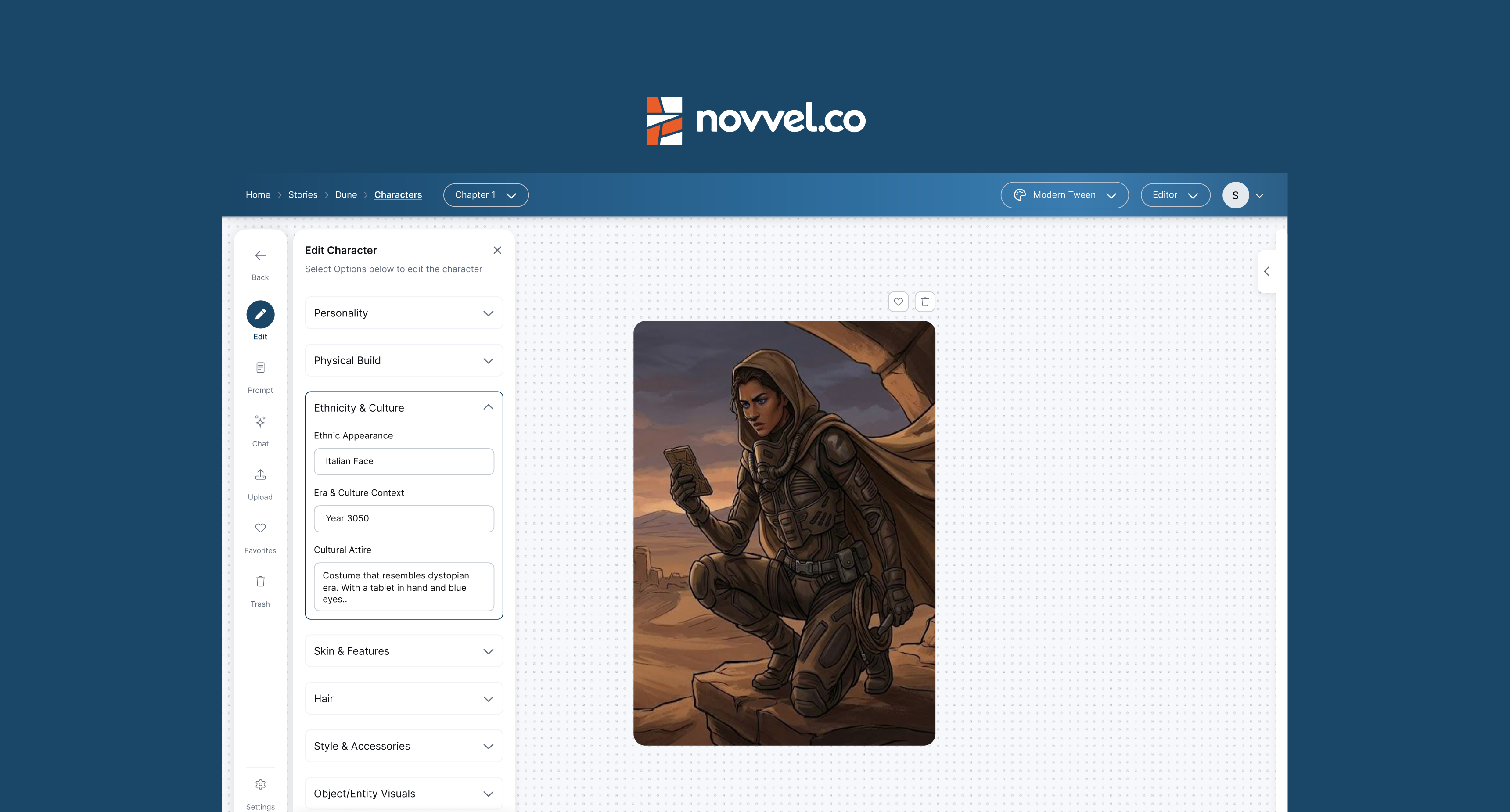
01 · Overview
Novvel is an AI-powered platform for writing, designing, and publishing graphic novels in one place.
Creating a graphic novel usually means switching between separate tools, one for writing, another for generating characters, another for laying out pages. Novvel (formerly Ink an Epic) is being built to bring that process into one platform.
I audited an existing flow, the Character Studio, to see where that fragmentation showed up for users, and used those findings to shape specific redesign decisions.
I designed Novvel's brand identity, worked on the Character–Chat flow, and designed the side navigation and reusable components for the book editor.
02 · The problem
The problem
Novvel was still an internal tool, used by the founding team to build early versions of their own graphic novels. It hadn't been tested with outside creators yet.
To understand where the experience broke down for a first-time user, I started with an audit of one key flow.
01 Complex workflow
Writing, character generation, layout, and publishing lived in disconnected stages, making the process hard to follow.
02 No holistic page view
Users worked panel-by-panel with no way to see a full page or spread while editing.
03 No first-time guidance
The product was built for internal use, so there was nothing to onboard a new creator who didn't already know the tool.
04 Branding aimed at the wrong audience
The visual identity read as a children's storytelling tool, which undersold a platform meant for authors and publishers.
(No usage data was available, Novvel wasn't yet live to external users. The problems above come from the internal product review and the audit that follows.)
03 · Structure of the project
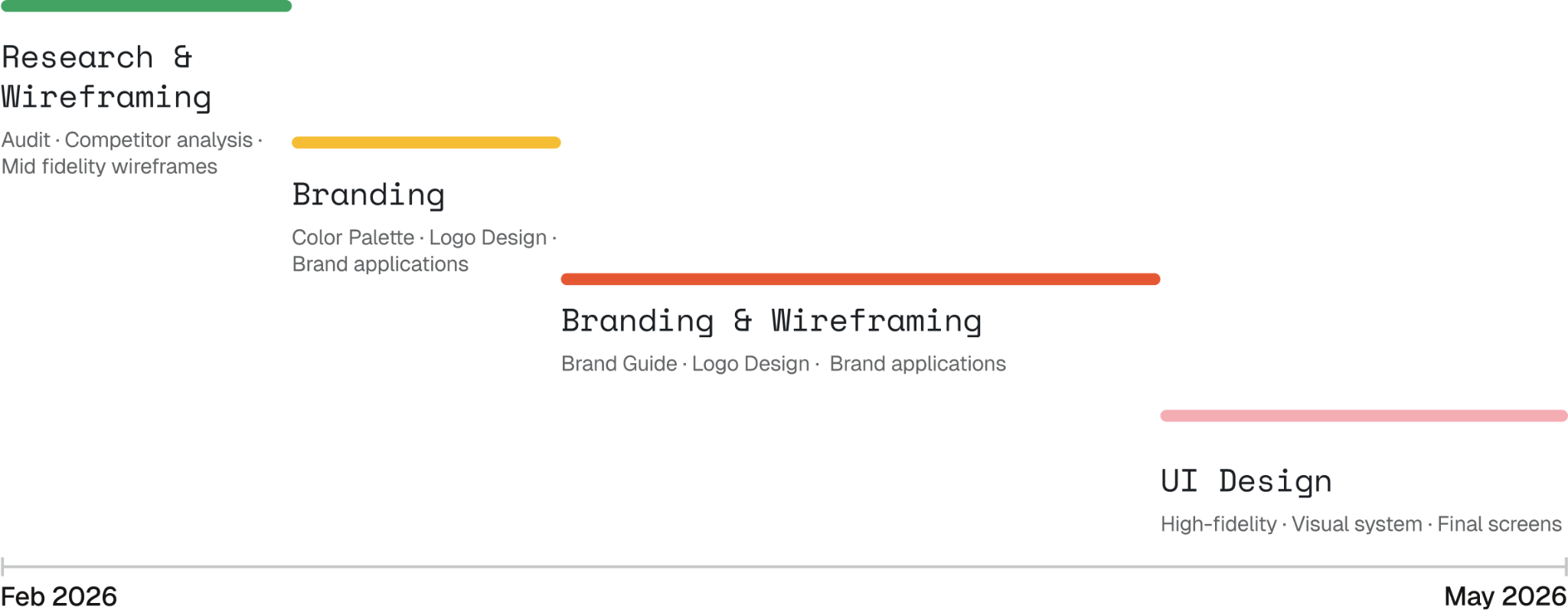
My role & the timeline.
The project started on UI/UX, paused when the team realized Novvel needed a stronger visual identity first, then rebuilt the brand before returning to the product experience. I joined in February, shortly after it began.
I led the logo exploration, moodboards, and visual identity as part of the brand work, and took part in requirement discussions and feedback sessions with stakeholders.
On the product side, I worked on the Character-Chat workflows, along with the side navigation and reusable UI components.
04 · How Novvel works
How Novvel works?
Novvel follows the way a graphic novel actually gets made. A creator starts a book, builds the world it takes place in, lays out the pages, and then publishes.
The World is where the story's building blocks live: Characters, Locations, and Assets. Inside it, the Character Studio is where creators generate a character with AI, then refine their look through different versions and variations. Everything made here can be reused later in the Layout Editor, where pages are built panel by panel.
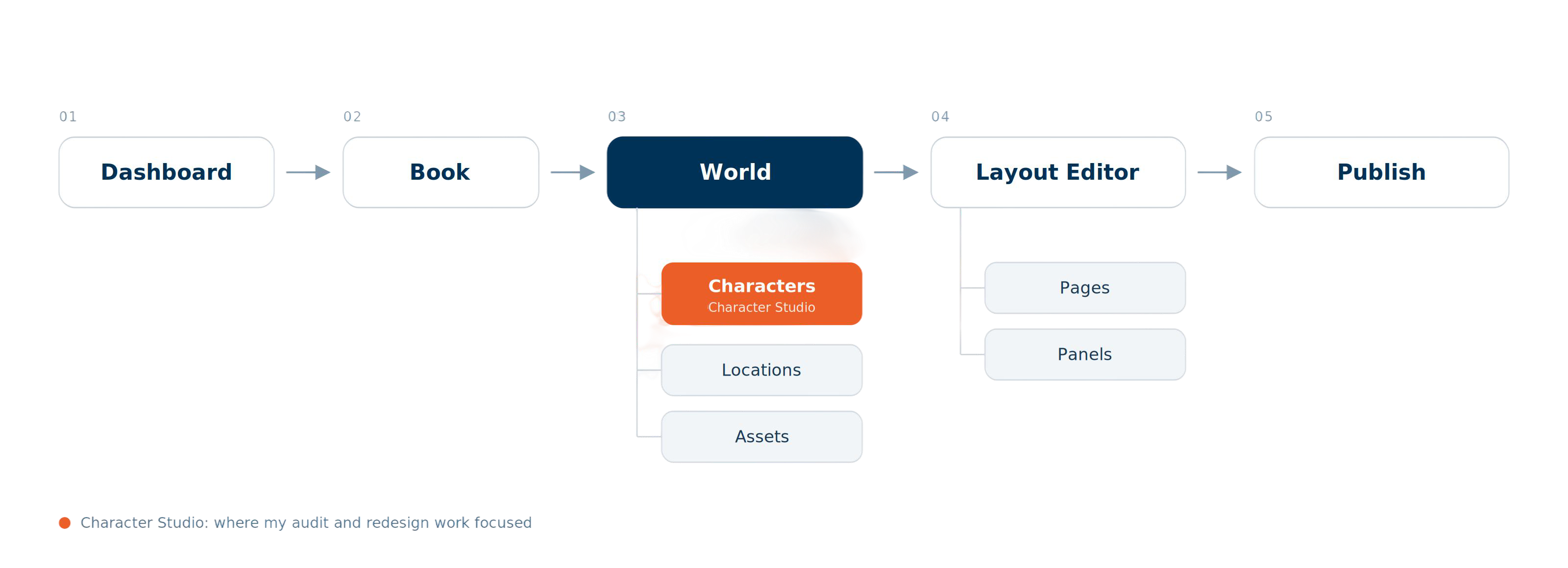
I focused on the Character Studio, since it's where most of the creative back-and-forth with the AI happens.
05 · UX Audit
Auditing the Character Studio
To guide the redesign, I audited the Character Studio screen by screen and noted wherever something slowed users down or left them unsure what to do.
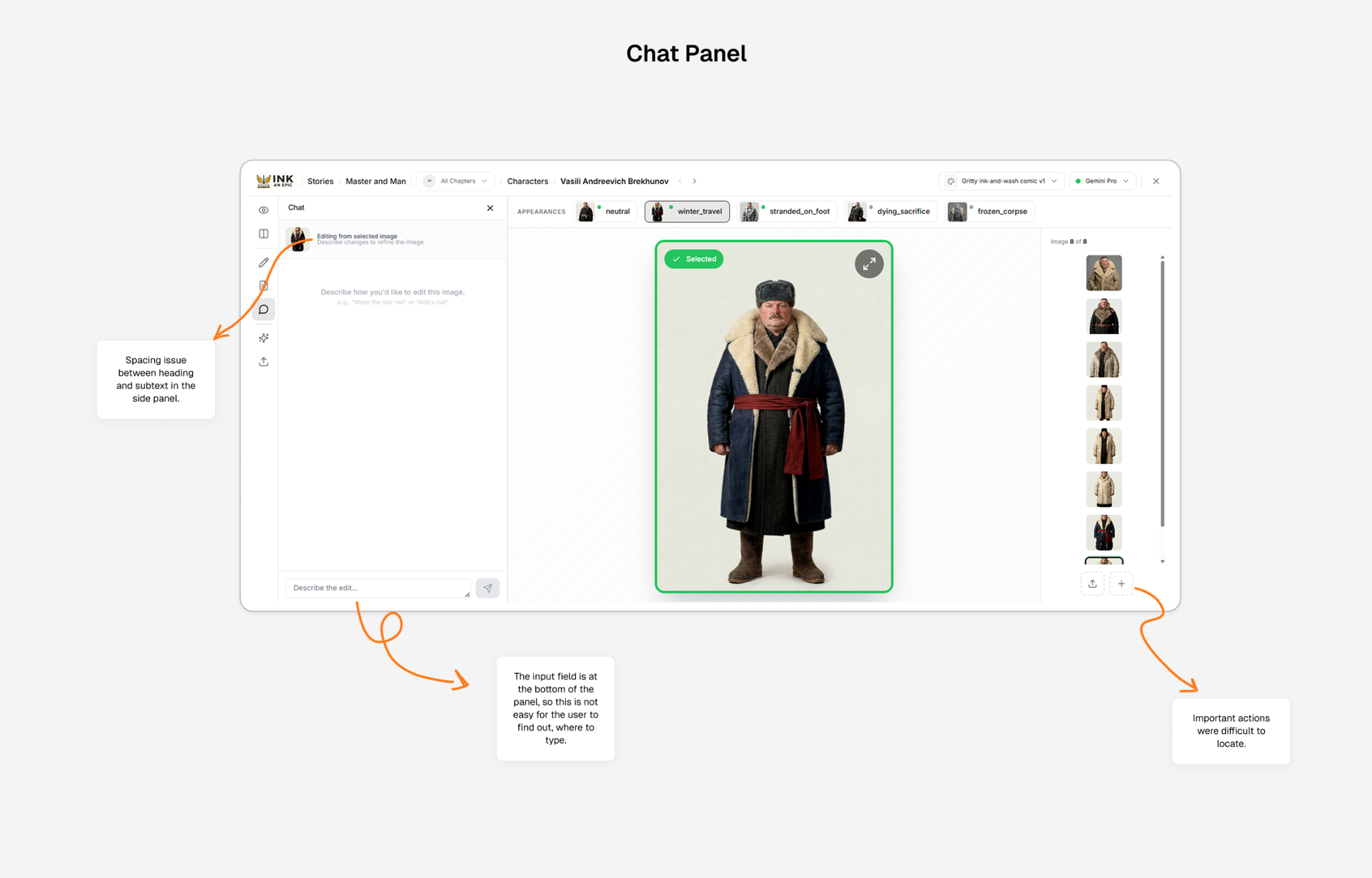
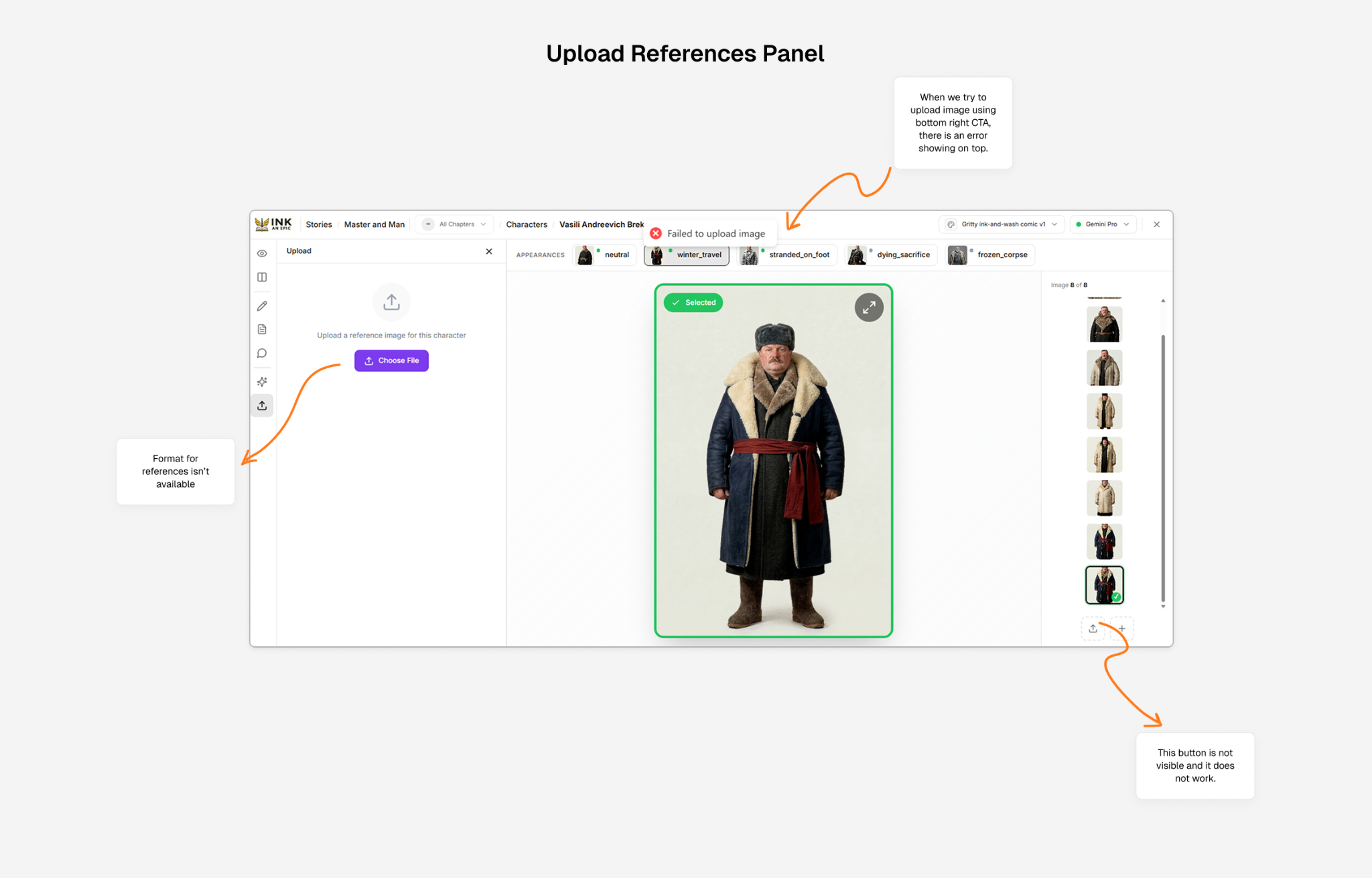
These findings shaped the two redesigns that follow: the character chat and the reference upload flow.
06 · Character chat
Turning image edits into a conversation
Editing a character used to mean typing into a single text box at the bottom of the panel, with no starting point and no feedback while the image was being generated. I redesigned it to work like a conversation, so users could refine a character step by step.
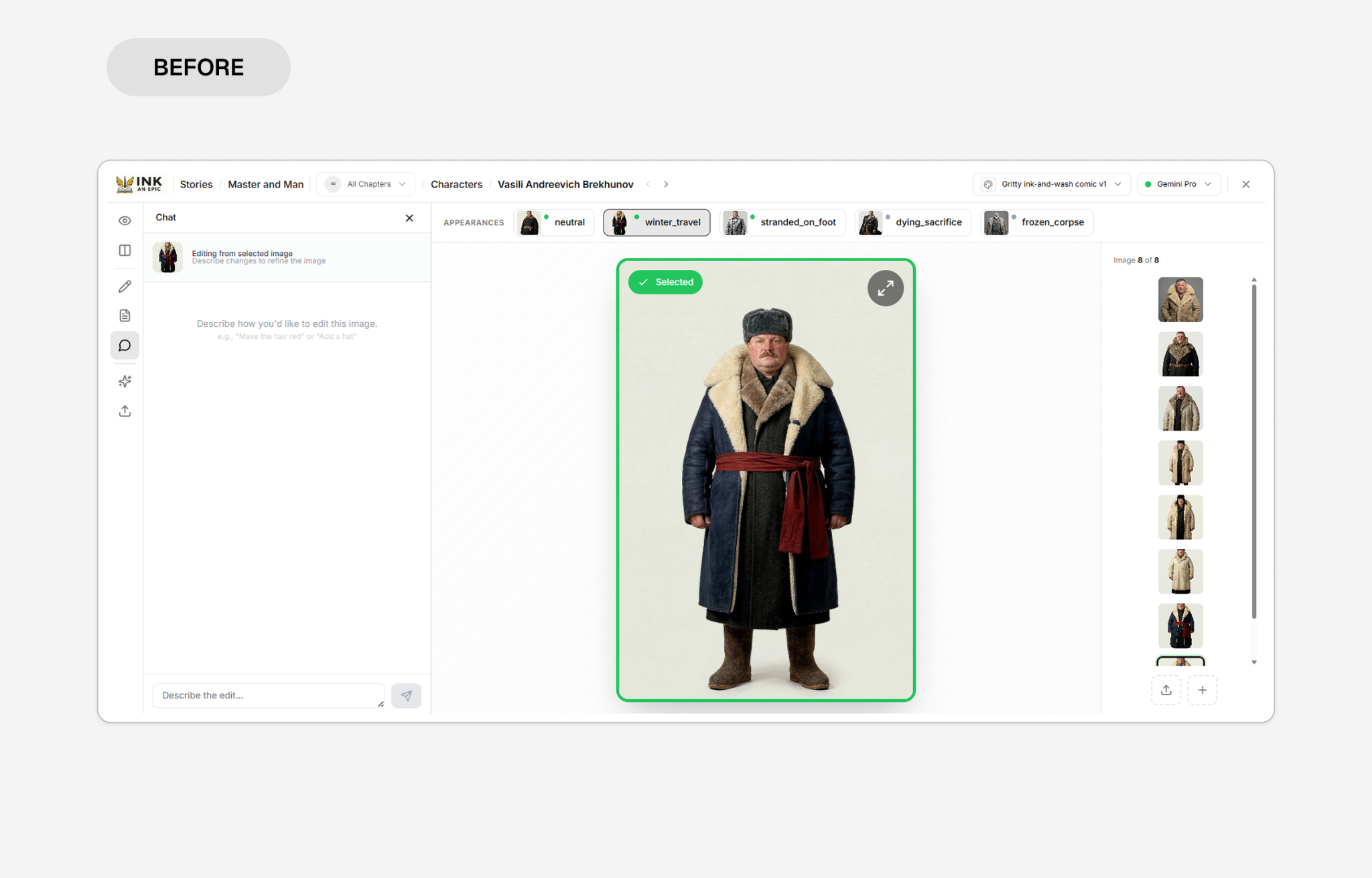
What improved?
- Introduced a chat-based interaction, so editing feels like going back and forth with a collaborator instead of filling in a form.
- Added prompt suggestions like "Make the coat darker" to give users a starting point.
- Showed real-time feedback while a new version is generating, so users know something is happening.
- Highlighted the input field so it's easier to spot.
07 · Reference upload
One clear way to add reference images
Reference images help the AI generate a character, but the old upload was just a bare button with no explanation. There were also two upload buttons doing the same job, and one of them sometimes threw an error.
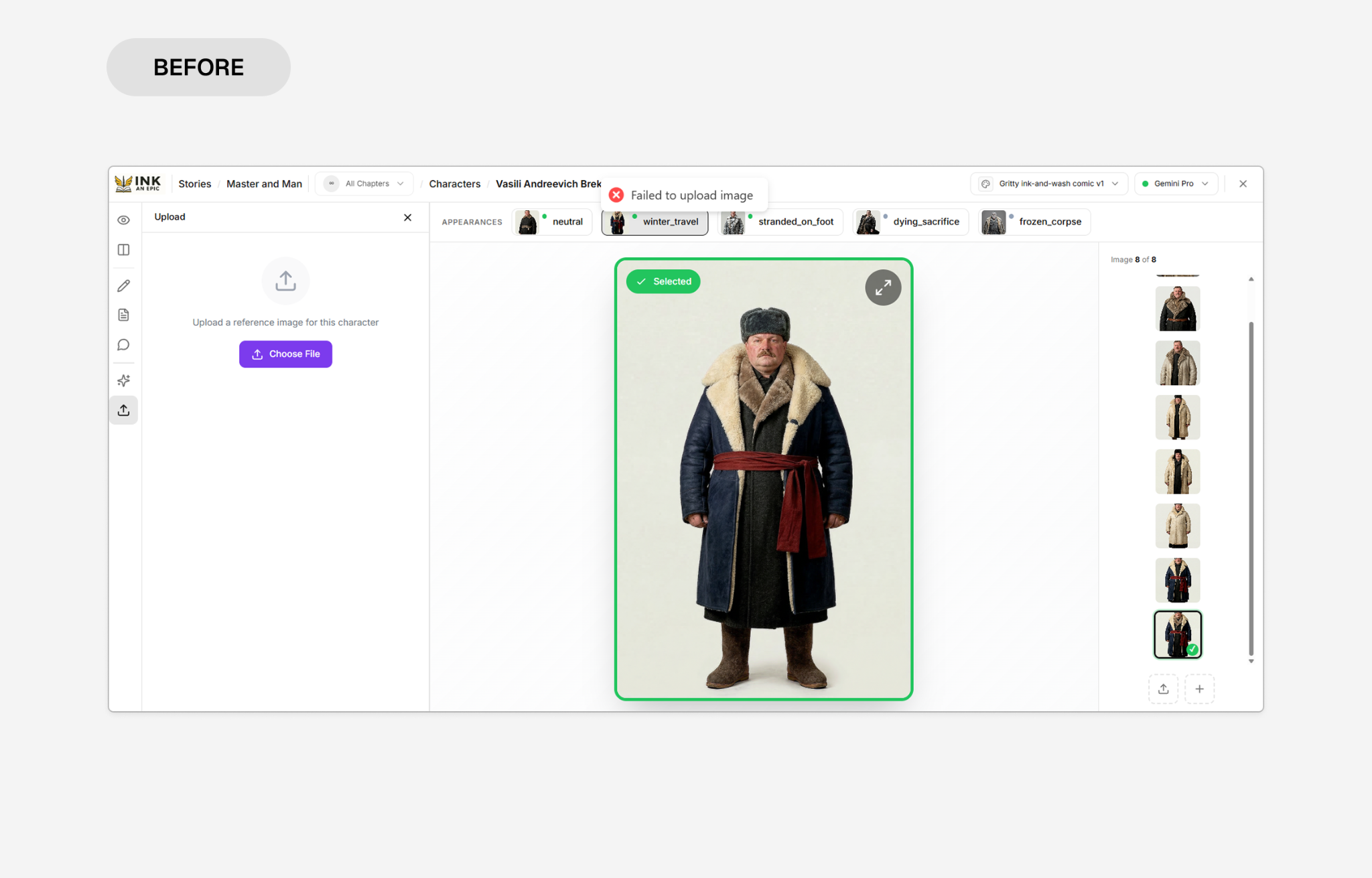
What improved?
- Merged the two upload buttons into a single entry point.
- Listed file size and format limits up front to reduce upload errors.
- Added a short note explaining how reference images guide the AI, and that they won't replace existing images.
- Showed uploaded images as thumbnails, so users can see and manage what they've added.
- Introduced drag-and-drop alongside file browsing.
08 · Components
Organising the book editor's controls
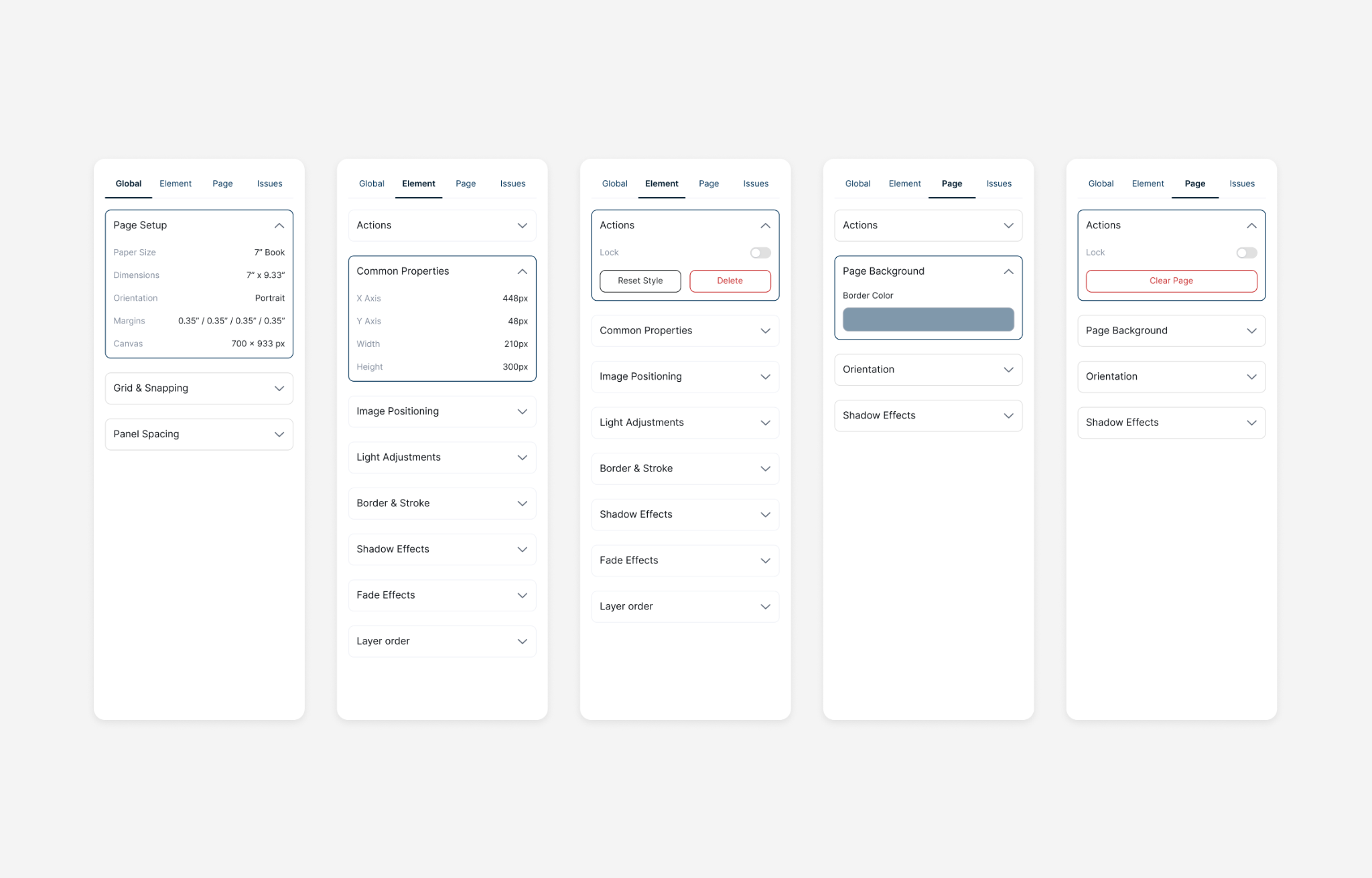
The book editor has a lot of controls: image positioning, lighting, borders, shadows, fades, speech bubble settings and more. Each module handled them in its own way, which led to inconsistent patterns and repeated design work. To support the editor's complexity, I explored and designed a structured tab system that groups controls by how much of the book they affect.
01 · Global: settings that apply across the book
02 · Element: settings for the selected item, like an image or a speech bubble
03 · Page: settings for the current page
04 · Issues: problems that need attention
09 · Brand Identity
Giving Novvel an identity of its own
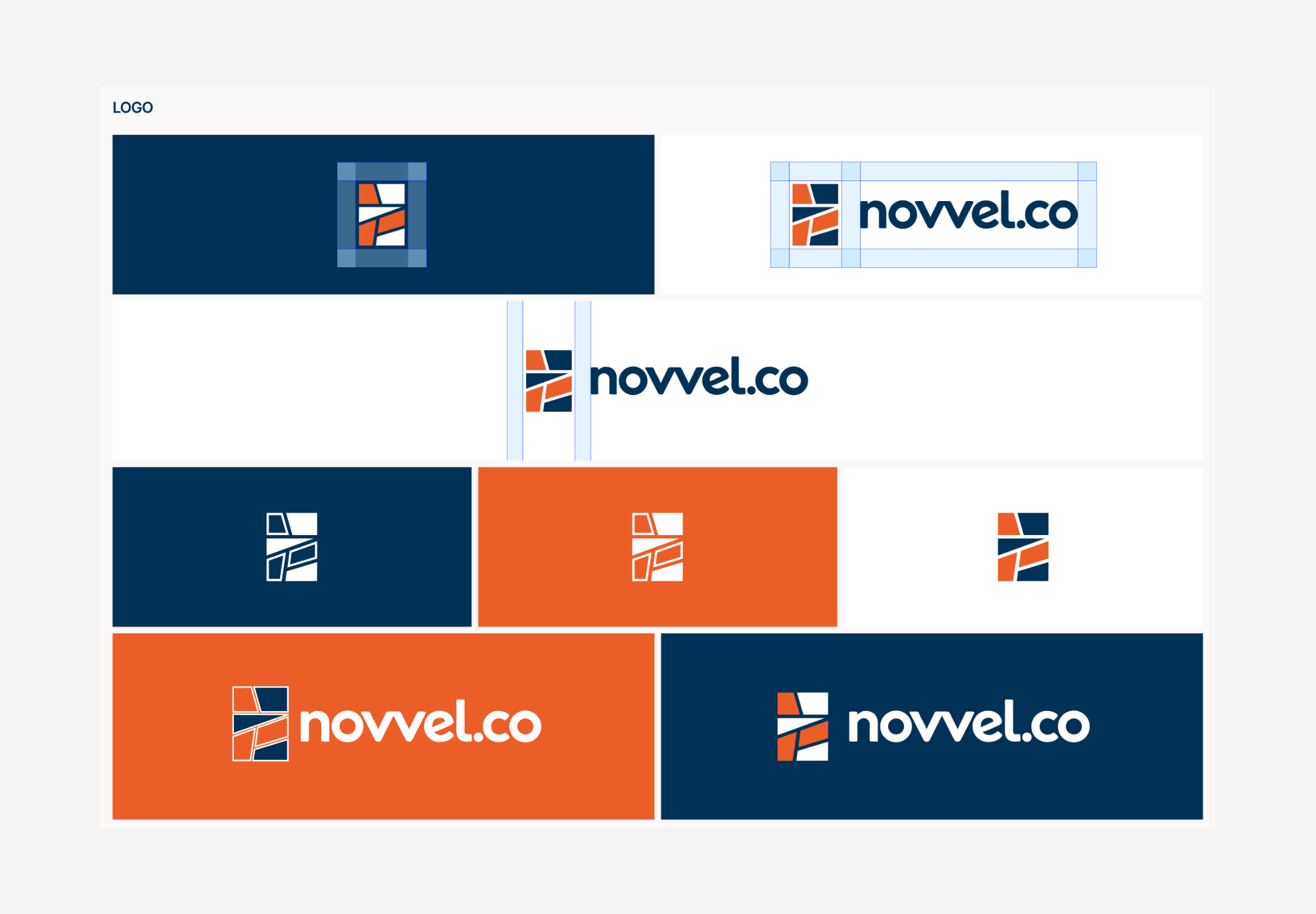
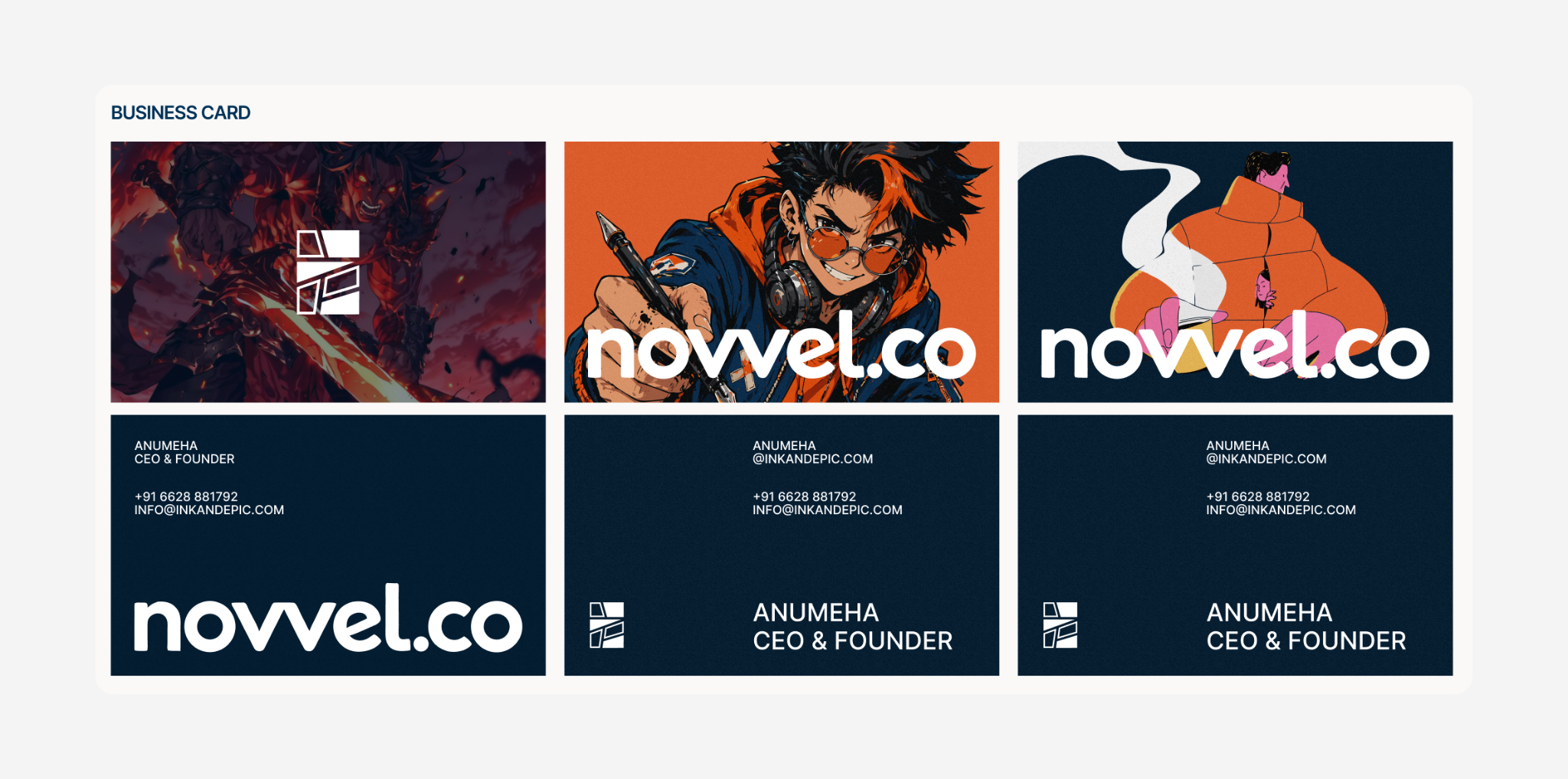
Novvel's original look made it read like a children's storytelling app, which didn't fit a platform meant for authors and publishers. Before the product work could move forward, it needed a clearer identity, and I designed it.
I presented three moodboard directions, and the team chose Serene: clean and minimal, so the interface stays calm during long writing and editing sessions and the creator's work stays at the centre.
The palette pairs Midnight Blue for trust and stability with Spicy Paprika as an accent for energy and creativity. Inter carries the interface for readability. The product was also renamed from Ink an Epic to Novvel.co at the client's suggestion.
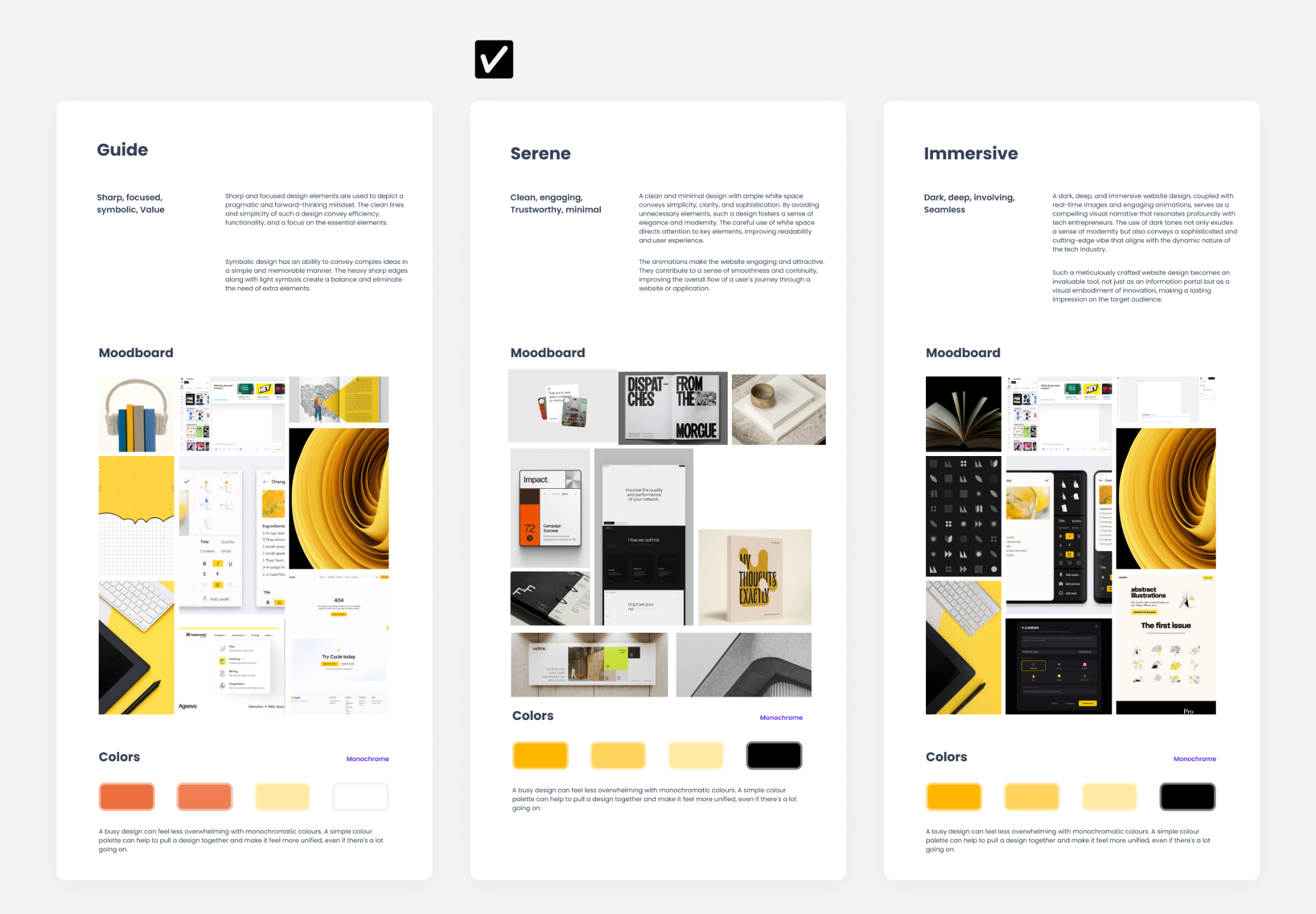
Why Serene?
To create a calm and immersive creative environment. Since graphic novel creation involves long hours of writing, editing, and visual exploration, the interface needed to feel unobtrusive and allow the content to take center stage.
See the full process in Building Novvel.co: A Visual Identity System →
10 · Reflection
My learnings
I joined Novvel after the project had already started, which taught me to get up to speed quickly and ask questions early rather than guess. Watching the team pause product work to build the brand first showed me that some problems can't be solved at the screen level.
Working closely with experienced designers taught me that there's always something to learn, and that steady progress matters more than getting it perfect the first time. I made mistakes along the way, and the feedback on them is a big part of how I grew as a designer.